
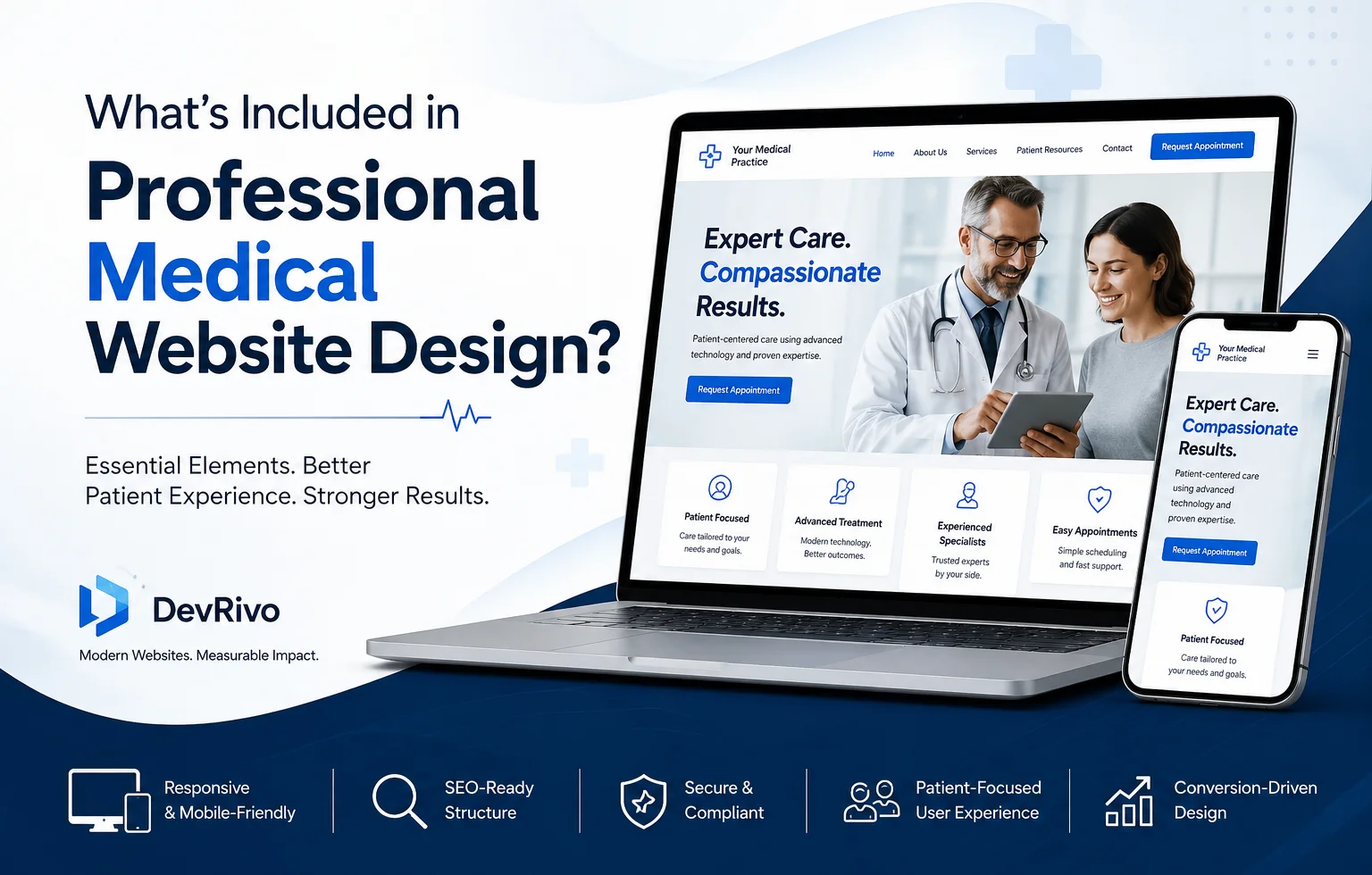
A professional medical website should do more than look modern. It should help patients find the right information, understand your services, contact your practice, and navigate the site easily on any device. It should also have a logical SEO structure, accessible content, strong performance, and appropriate security considerations.
For doctors, clinics, dentists, and other healthcare organizations, effective website design brings UX, content, SEO, accessibility, performance, and conversion strategy together in one system.
Here’s what a professional medical website should include and why each component matters.
What Is Professional Medical Website Design?
Professional medical website design is the process of planning and building a healthcare website around the needs of patients, providers, and the practice.
It includes more than visual elements such as colors, fonts, images, and layouts. A well-planned medical website also considers:
- Patient experience and navigation
- Medical service and treatment information
- Provider and practice information
- Search engine optimization
- Mobile usability
- Accessibility
- Website performance
- Appointment and contact pathways
- Security and privacy
- Content architecture
- Ongoing maintenance
The goal is to make the website useful for people first while giving search engines a clear understanding of the practice, its services, providers, and locations.
For example, a dental practice should not simply have a homepage with a list of treatments. Important services such as dental implants, emergency dentistry, orthodontics, or cosmetic dentistry may need their own pages when they represent distinct patient needs and search intents.
What Should a Medical Website Include?
The exact structure depends on the specialty, size, location, and services of the practice. However, most professional healthcare websites benefit from a core structure that includes:
| Website component | Purpose |
| Homepage | Introduces the practice and directs visitors to important information |
| Service pages | Explains individual treatments or services |
| Provider pages | Establishes who provides care and their qualifications |
| About page | Builds context and trust around the organization |
| Location pages | Helps patients find individual offices and locations |
| Contact page | Provides practical contact and location information |
| Appointment pathway | Makes the next step clear |
| Educational content | Answers patient questions and supports organic search |
| Privacy and legal pages | Communicates relevant policies and responsibilities |
| Mobile-responsive interface | Makes the website usable across devices |
The important point is architecture. These pages should not exist as disconnected pieces. They should have logical relationships that help patients and search engines move between related information.
For example:
Doctor → Specialty → Services → Treatment → Location → Appointment
A spine surgeon’s provider page might link to the surgeon’s specialty, relevant procedures, conditions treated, office locations, and appointment information.
Mobile-Friendly and Responsive Design
A medical website should work properly across smartphones, tablets, laptops, and desktop computers.
Patients may search for a provider while commuting, sitting in a waiting room, or trying to contact a practice outside normal working hours. A desktop layout that becomes difficult to navigate on a phone creates unnecessary friction.
Responsive design should address more than screen width.
Check whether:
- Text remains readable without zooming
- Buttons are easy to tap
- Navigation works on smaller screens
- Phone numbers can be tapped
- Appointment CTAs remain visible
- Forms work correctly on mobile devices
- Images resize without breaking the layout
- Important content does not disappear on smaller screens
- Page elements do not overlap
A useful test is simple: Can a patient find the service they need and understand how to contact the practice using only their phone?
If the answer is no, the design needs work.
Patient-Focused Website Navigation
Patients should not have to understand your internal organization to use your website.
Navigation should reflect the questions patients actually have.
For example, a clinic might organize its primary navigation around:
Services | Conditions | Providers | Locations | About | Resources | Contact
A dental practice might use:
Services | Dentists | New Patients | Insurance | Patient Resources | Contact
The exact menu will vary, but the principle is consistent: important information should be easy to find.
Avoid hiding essential information behind overly complex menus.
A patient looking for an emergency dentist should not have to visit five pages before discovering whether the practice offers emergency appointments.
Use clear calls to action
A medical website should make the next step obvious.
Depending on the practice, that could be:
- Schedule an Appointment
- Request an Appointment
- Call the Office
- Find a Location
- Meet Our Providers
- Verify Insurance
- Contact the Practice
The CTA should match the user’s intent rather than simply appearing as a generic “Learn More” button everywhere.
SEO-Friendly Website Architecture
Medical website design and SEO should be planned together rather than treated as separate projects.
Search engines need to understand what the website is about, which pages are important, and how different topics relate to one another.
A strong healthcare website architecture might look like:
Homepage
→ Medical Services
→ Individual Service Pages
→ Conditions / Treatments
→ Provider Pages
→ Location Pages
→ Educational Resources
For a multi-location clinic, the structure might also connect:
Service → Location → Provider → Appointment
This creates useful relationships between pages.
Create dedicated pages for important services
A single “Services” page may not be enough when a practice offers many distinct treatments.
For example:
Services
- Knee Replacement
- ACL Reconstruction
- Sports Medicine
- Shoulder Surgery
- Physical Therapy
can become individual pages when each service deserves its own patient-focused explanation and search intent.
Each page can then explain the service, who provides it, what patients should know, relevant conditions, frequently asked questions, and the appropriate next step.
Build internal links around relationships
Internal links should help users move naturally between related pages.
A treatment page might link to:
- The relevant provider
- The location where the treatment is offered
- Related conditions
- Related treatments
- Appointment information
This creates a more useful website than a collection of isolated pages.
Medical Service and Treatment Pages
Service pages are often some of the most important pages on a healthcare website because they explain what the practice actually provides.
A useful service page should answer questions such as:
- What is the service?
- Who is it for?
- What does the treatment involve?
- Who provides it?
- Where is it available?
- What should a patient know before contacting the practice?
- What are the relevant next steps?
The depth should match the subject.
A page for a simple administrative service does not necessarily need the same structure as a page explaining a complex surgical procedure.
Write for patients, not only search engines
Avoid turning service pages into keyword lists.
Instead of repeatedly using a phrase such as “knee replacement surgeon,” explain the service naturally:
Knee replacement surgery may be considered when significant knee problems affect mobility and daily activities. The appropriate treatment depends on the patient’s condition and should be evaluated by a qualified healthcare professional.
The page can then explain the procedure, provider expertise, location, and appointment process without forcing the keyword into every paragraph.
Doctor and Provider Pages
Provider pages help patients understand who they may be trusting with their care.
A strong provider page can include:
- Provider name
- Professional title
- Specialty
- Credentials
- Education and training
- Areas of practice
- Professional memberships
- Languages, when relevant
- Office locations
- Relevant services or procedures
- Professional photograph
- Appointment information
The information should be accurate and maintained when credentials, locations, or areas of practice change.
Provider pages should also connect to relevant services and locations.
For example:
Dr. Smith → Orthopedic Surgery → Knee Replacement → Minneapolis Location
That structure gives the patient multiple ways to continue researching the practice.
Appointment and Contact Features
A medical website should make contacting the practice straightforward.
Depending on the organization, useful options can include:
- Click-to-call phone numbers
- Appointment request forms
- Online scheduling
- Location information
- Directions
- Office hours
- Insurance information
- New-patient instructions
- Contact forms
The best option depends on the practice’s actual workflow.
For example, a simple appointment-request form may be appropriate for one organization, while another may use an established scheduling platform.
Be careful with patient information
A website form that collects health information requires more consideration than a basic contact form.
If a website collects, stores, transmits, or processes protected health information, the practice needs to evaluate the systems and vendors involved and their applicable privacy and security obligations.
The HIPAA Security Rule establishes requirements for protecting electronic protected health information through administrative, physical, and technical safeguards for covered entities and business associates. The specific requirements depend on the circumstances and systems involved.
A healthcare website should therefore not be described as “HIPAA-compliant” merely because it uses HTTPS or a secure-looking form.
Compliance depends on the complete technology, data flow, vendors, policies, safeguards, and applicable requirements.
Website Accessibility
Healthcare websites should be designed so that people with disabilities can access and use their content.
The W3C’s Web Content Accessibility Guidelines (WCAG) provide internationally recognized recommendations for accessible web content. WCAG 2.2 is the current W3C Recommendation and covers accessibility across different devices and types of disabilities.
Practical accessibility considerations include:
- Sufficient text contrast
- Descriptive link text
- Keyboard accessibility
- Proper heading hierarchy
- Meaningful alternative text for relevant images
- Clearly labeled form fields
- Visible focus states
- Captions for applicable video content
- Logical navigation
- Avoiding unnecessary motion
- Accessible buttons and interactive elements
Accessibility should be incorporated during design and development rather than treated as a final checkbox.
Don’t promise legal compliance casually
Accessibility standards and legal requirements are not necessarily identical.
A website can be designed around WCAG principles without making an unsupported claim that it satisfies every applicable accessibility law.
For organizations with specific legal requirements, accessibility should be evaluated against the requirements that apply to that organization.
Security and Privacy Considerations
Security should be part of medical website planning from the beginning.
Basic website security considerations include:
- HTTPS
- Secure hosting
- Strong administrator authentication
- Software and plugin updates
- Access controls
- Backups
- Monitoring
- Secure third-party integrations
- Appropriate handling of submitted information
The level of security required depends on what the website does and what information it handles.
A basic informational website has different risks from a website that connects to scheduling systems, patient portals, payment platforms, analytics tools, or forms that collect sensitive information.
For websites involving electronic protected health information, HIPAA requirements may apply depending on the entities, systems, and data involved. HHS notes that the Security Rule is designed to be scalable and technology-neutral rather than prescribing one specific technology for every organization.
That is why healthcare website security should be evaluated based on the actual website architecture and data flow.
Performance and Core Web Vitals
A professional medical website should load efficiently and respond smoothly, particularly on mobile devices.
Google identifies Core Web Vitals as part of its page experience considerations. The current Core Web Vitals focus on:
- Largest Contentful Paint (LCP) – loading performance
- Interaction to Next Paint (INP) – responsiveness
- Cumulative Layout Shift (CLS) – visual stability
Google also makes an important distinction: good Core Web Vitals do not guarantee top search rankings. Page experience is one part of a broader search system, and relevance and content quality remain important.
For a medical website, performance work may include:
- Compressing and properly sizing images
- Reducing unnecessary scripts
- Improving hosting performance
- Using efficient caching
- Optimizing fonts
- Removing unnecessary plugins
- Reducing layout shifts
- Improving mobile rendering
- Monitoring real-user performance
A fast website is not simply an SEO project. It also makes it easier for patients to access information.
How Medical Website Design Supports Patient Growth
A website does not generate patient growth simply because it looks professional.
Its design can support growth by making important patient journeys easier.
Consider a patient searching for a cardiologist.
They may move through this sequence:
Search → Provider Page → Specialty Information → Services → Location → Contact → Appointment
A well-structured website supports that journey.
A poorly structured website may create friction:
Search → Homepage → Generic Services Page → Confusing Navigation → No Clear CTA
The difference is not necessarily visual design. It is information architecture and user experience.
A healthcare website should make the most important patient journeys clear.
That means connecting:
- Services to providers
- Providers to locations
- Treatments to relevant conditions
- Educational content to appropriate services
- Locations to contact information
- Important pages to clear appointment actions
This is where website design, content strategy, SEO, and conversion optimization begin working as one system.
When Should You Invest in a Professional Medical Website?
A professional medical website may be worth considering when your current site makes it difficult for patients to understand your practice or take the next step.
Common signs include:
- The website is not mobile-friendly
- Important services have no dedicated pages
- Patients struggle to find providers or locations
- Appointment information is difficult to find
- The site loads slowly
- The navigation is confusing
- The design no longer reflects the practice
- Your website has significant technical SEO problems
- Content is outdated or inaccurate
- The practice has expanded into new services or locations
- The site is difficult to maintain
- Forms or third-party integrations need to be replaced
- The website does not provide a clear path from information to appointment
A redesign is not always necessary. Sometimes an existing website can be improved through targeted UX, content, technical SEO, and performance work.
The right decision depends on the condition of the current site, the practice’s goals, and the amount of structural change required.
A Practical Medical Website Design Checklist
Before launching a new healthcare website or redesigning an existing one, review these areas:
Structure
- Clear navigation
- Logical page hierarchy
- Dedicated important service pages
- Provider pages
- Location pages where appropriate
- Clear internal linking
Patient Experience
- Mobile-friendly design
- Clear calls to action
- Easy-to-find contact information
- Simple appointment pathway
- Readable content
- Clear service information
SEO
- Search-intent-based page structure
- Descriptive title tags and headings
- Internal linking
- Crawlable architecture
- Relevant structured data
- Optimized images
- XML sitemap and indexation checks
Accessibility
- Logical heading structure
- Keyboard-accessible navigation
- Accessible forms
- Descriptive links
- Appropriate image alternatives
- Adequate contrast
- Visible focus indicators
Performance
- Core Web Vitals monitored
- Images optimized
- Unnecessary scripts minimized
- Mobile performance tested
- Layout shifts controlled
Security and Privacy
- HTTPS enabled
- Administrator access protected
- Software maintained
- Backups configured
- Third-party integrations reviewed
- Sensitive data flows evaluated
Frequently Asked Questions
What is included in professional medical website design?
Professional medical website design can include UX strategy, responsive design, website architecture, service pages, provider pages, SEO foundations, accessibility considerations, performance optimization, appointment pathways, security planning, and ongoing maintenance. The exact scope depends on the practice’s specialty, services, locations, technology, and goals.
How is medical website design different from regular website design?
Medical website design has additional considerations around patient experience, healthcare content, provider information, service architecture, accessibility, privacy, security, and sometimes HIPAA-related requirements. The website also needs to communicate clinical information clearly without making unsupported medical claims.
Does a medical website need separate service pages?
Often, yes. Important treatments and services can benefit from dedicated pages when they represent distinct patient needs and search intents. Individual pages give patients more complete information and create a clearer website architecture than putting every service on one generic services page.
Should a medical website be mobile-friendly?
Yes. Patients should be able to navigate the website, read important information, find phone numbers, and access appointment options on mobile devices without unnecessary friction.
Does medical website design include SEO?
It can. SEO-friendly design involves planning website architecture, page relationships, headings, internal links, technical accessibility to search engines, performance, and content structure. Ongoing medical SEO is a broader discipline that also includes content, local SEO, authority development, and other activities.
Does a medical website need to be HIPAA-compliant?
It depends on what the website and its connected systems do. A purely informational website may have different considerations from a website that collects or transmits protected health information. HIPAA requirements can apply to covered entities and business associates handling electronic protected health information, so the actual data flow and technology stack need to be evaluated.
What should I check before hiring a medical website design agency?
Review the agency’s healthcare-specific experience, website architecture approach, SEO capabilities, accessibility process, security practices, content workflow, ownership terms, maintenance options, and examples of relevant healthcare projects. Ask how the agency handles integrations that may involve sensitive information.
Build a Medical Website Around the Patient Journey
A professional medical website is not simply a collection of attractive pages.
It is a connected system that helps patients understand who you are, what you provide, where you practice, and how to take the next step.
The strongest healthcare websites bring together:
Patient-focused UX + clear information architecture + SEO + accessibility + performance + security + conversion paths.
If your practice is planning a new website or evaluating an existing one, start by mapping your most important patient journeys and the pages needed to support them.
For a healthcare-specific approach, explore DevRivo’s medical website design services and review relevant healthcare website projects in the portfolio.